Building a Data-Driven Recruiting Dashboard: A Step-by-Step Guide For 2025
A comprehensive guide explaining how to build and implement a data-driven recruitment dashboard, covering key metrics, data integration, visualization best practices, and team training, with an emphasis on using AI tools to streamline the hiring process.


.png)
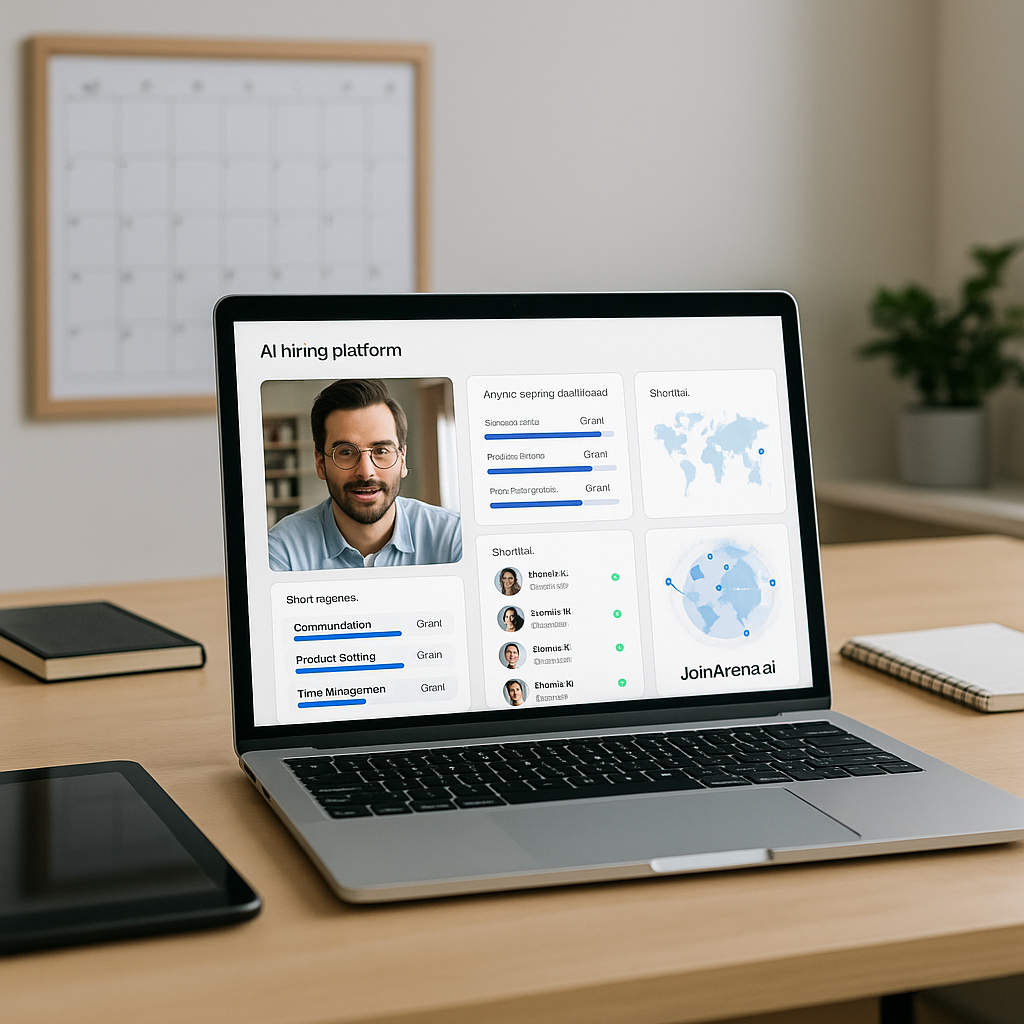
In today’s fast-paced recruitment landscape, hiring decisions based on intuition no longer cut it. Data-driven recruitment is no longer a luxury—it’s a necessity. A recruitment dashboard provides actionable insights into every step of your hiring process, enabling smarter, faster, and bias-free decisions. This guide will show you how to build a high-performing recruiting dashboard that aligns with your organizational needs.
Why a Recruitment Dashboard is Crucial
Recruitment dashboards centralize your data, helping you visualize and analyze key metrics like time-to-fill, quality of hire, and cost-per-hire in real time. According to a study by LinkedIn Talent Solutions, companies that use data-driven recruitment tools are 57% more likely to improve their hiring efficiency. This ensures that your hiring process isn’t just fast but also effective.
Step 1: Define the Purpose of Your Dashboard
Before you start building, identify your objectives. Are you trying to:
- Streamline hiring timelines?
- Improve candidate quality?
- Track diversity metrics?
Your goals will determine the type of metrics and visualizations you’ll need. For instance, if your priority is diversity hiring, include metrics like gender and ethnicity ratios at different recruitment stages. This insight aligns with trends discussed in how video screening is revolutionizing hiring.
Step 2: Choose Your Metrics Wisely
Not all data is valuable. Focus on metrics that directly impact your recruitment goals:
- Time-to-Hire: Measure the days from first contact to offer acceptance. A shorter time-to-hire often indicates a streamlined process.
- Quality of Hire: Use post-hire performance reviews and retention data to assess hiring effectiveness.
- Candidate Source Effectiveness: Identify which platforms yield high-quality applicants.
- Diversity Ratios: Track demographic data to improve diversity hiring strategies.
- Cost-Per-Hire: Analyze the total recruitment spend divided by the number of hires.
Remember, tracking too many metrics can lead to analysis paralysis. Instead, start small and expand as needed.
Step 3: Collect and Integrate Data
Your dashboard needs accurate, consistent data from multiple sources. Here’s where to start:
- Applicant Tracking Systems (ATS): Most ATS platforms provide valuable metrics on time-to-fill and candidate progression.
- HRIS Systems: Integrate employee lifecycle data for deeper insights.
- Social Media Analytics: Platforms like LinkedIn can reveal candidate engagement metrics.
For technical hiring, leveraging tools like AI-based code assessment platforms can also provide granular insights into candidate competencies.
Step 4: Visualize the Data Effectively
A dashboard is only as good as its readability. Follow these tips to make your data actionable:
- Choose the Right Chart Types: Use bar charts for trends, pie charts for ratios, and funnel charts for recruitment stages.
- Optimize Layout: Keep the most critical metrics at the top and group related insights.
- Highlight Key Insights: Use colors and icons to draw attention to metrics needing immediate action.
Step 5: Automate and Update Regularly
Your dashboard should evolve with your needs. Automate data integration and ensure regular updates. For example, you can set up weekly updates for pipeline metrics and real-time updates for candidate engagement rates. A self-paced video interview platform can also feed data directly into your dashboard.
Step 6: Train Your Team to Use the Dashboard
Even the most advanced dashboard won’t deliver results unless your team knows how to use it. Conduct regular training sessions to:
- Explain key metrics and their implications.
- Teach team members how to interpret data trends.
- Encourage recruiters to identify bottlenecks and suggest improvements.
For instance, using an AI recruiting assistant can simplify tasks like candidate ranking and engagement analysis.
Real-Life Benefits of Recruitment Dashboards
- Improved Candidate Experience: 58% of candidates cite a smooth hiring process as a top factor in choosing employers (source). Dashboards help pinpoint and resolve process inefficiencies.
- Enhanced Hiring Quality: Businesses using AI recruiting platforms report a 32% improvement in quality of hire (source).
- Faster Decision-Making: Organizations that track real-time hiring data reduce time-to-hire by 25% (source).
Want to Bypass All this Grunt Work Through AI? Unlock the Power of JoinArena’s Recruitment Tools
Looking to take your recruitment strategy even further? JoinArena offers two powerful solutions to transform your hiring process:
- Talent Hub: Access pre-vetted candidates from around the globe, screened using our advanced AI Interviewer. Save time by connecting with candidates who are ready to make an impact.
- AI Interview: Use our free AI Interviewer to pre-screen your pipeline. Whether you invite candidates directly or link your ATS, our AI Interviewer helps you rank your entire application pool with precision.
Bonus Offer: Get started today and screen your first 100 candidates for free!
Conclusion
Building a data-driven recruiting dashboard is not just about technology; it’s about transforming your recruitment strategy. Start small, focus on impactful metrics, and let data guide your decisions. Tools like JoinArena’s AI-powered recruiting solutions can enhance your dashboard’s capabilities, offering video screening, skills testing software, and real-time analytics.
Want to take your recruitment strategy to the next level? Visit JoinArena.ai today and explore how AI-driven recruitment tools can revolutionize your hiring process.
Related Blogs



Frequently Asked Questions
After reading this section, if you still have questions, feel free to contact us however you want.
Interviewing.io is a complete coding interview platform—with mock technical interviews, system design interviews, behavioral interview practice, whiteboard interview practice, and pair programming. It’s a modern online CoderPad alternative.
Yes. It’s a full interview practice software with real-time interview feedback, mock interview scoring, technical mentoring sessions, and Amazon interview preparation, and Google mock interview formats—perfect for FAANG interview prep or software engineer job prep.
Absolutely. Job interview simulators and structured interview feedback give you interview performance analysis, AI-powered interview insights, strengths and weaknesses reports, and candidate readiness reports—so you can hire with confidence.
In both traditional and AI-powered interviews, tools help screen, assess, and engage candidates efficiently. On an AI interview platform, these include:
- Structured Question Sets: Pre-built or custom questions by role and skill level.
- AI Interview Engine: Conducts voice or text interviews, including coding or behavioral rounds.
- Automated Scoring Rubrics: Uses AI models to grade responses objectively.
- Video + Transcript Recording: Records interviews with real-time transcription for later review.
- ATS & CRM Integrations: Syncs interview data directly to your hiring tools.
- Analytics Dashboards: Offers insights like fit scores, strengths, and red flags.
These tools streamline the hiring process—cutting time-to-hire and improving the quality of hire.
The 5 C’s are key traits hiring teams assess in candidates. Our AI system evaluates them automatically:
- Competence – Technical and role-based skills
- Character – Integrity, accountability, and attitude
- Communication – Clarity, listening, and confidence
- Culture Fit – Alignment with your company’s values
- Curiosity – Willingness to learn and grow
Each trait is evaluated through structured prompts, real-time analysis, and AI-backed scoring.
Motivational interviewing tools help uncover mindset, attitude, and self-awareness—especially useful for behavioral roles. On an AI interview platform, they include:
- Open-Ended Questions – To explore deeper responses
- Affirmations – To recognize strengths and build confidence
- Reflections – Rephrasing answers to prompt further thought
- Summaries – AI-generated recaps of key points
- Change Talk – Prompts that reveal a growth mindset and adaptability
These help you assess not just what candidates did—but why and how they think.
Find the Right Expert